


Accessory Sockets
The ignition switch must be in the ACC
or ON position
Only use genuine Mazda accessories or
the equivalent requiring no greater than
120 W (DC 12 V, 10 A).
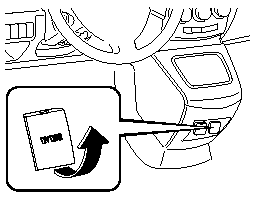
Front (Type A)
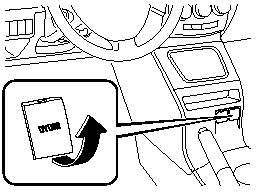
Front (Type B)
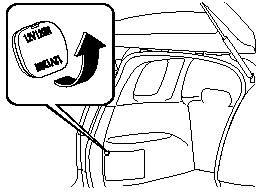
Rear
CAUTION.
To prevent accessory socket damage
or electrical failure, pay attention to
the following:
 Do not use accessories that require
more than 120 W (DC 12 V, 10 A).
Do not use accessories that are not
genuine Mazda accessories or the
equivalent.
Close the cover when the accessory
socket is not in use to prevent
foreign objects and liquids from
getting into the accessory socket.
Correctly insert the plug into the
accessory socket.
Noise may occur on the audio playback or TV reception depending on the device connected to the accessory socket.
NOTE.
To prevent discharging of the battery, do not use the socket for long periods with the engine off or idling.
See also:
Meters and Gauges
1 - Speedometer
2 - Odometer, Trip Meter and Trip Meter Selector
3 - Tachometer
4 - Engine Coolant Temperature Gauge
5 - Fuel Gauge
6 - Dashboard Illumination
Speedometer
The speedometer indi ...
Brake/Clutch Fluid
Inspecting Brake/Clutch Fluid Level
The brakes and clutch draw fluid from the
same reservoir.
Inspect the fluid level in the reservoir
regularly. It should be kept at MAX.
The level normally drop ...
Cell Phones Warning
WARNING:
Please comply with the legal regulations concerning the use of communication
equipment in vehicles in your State or Province:
Use of any electrical devices such as cell phones, computers, ...